🏆 Bot Club, $9/mo: new copy-paste bot recipes and ready-made templates every month, plus a monthly “get unstuck” Q&A post in the members area. Cancel anytime.
Join Bot ClubWhy this is worth 10 minutes
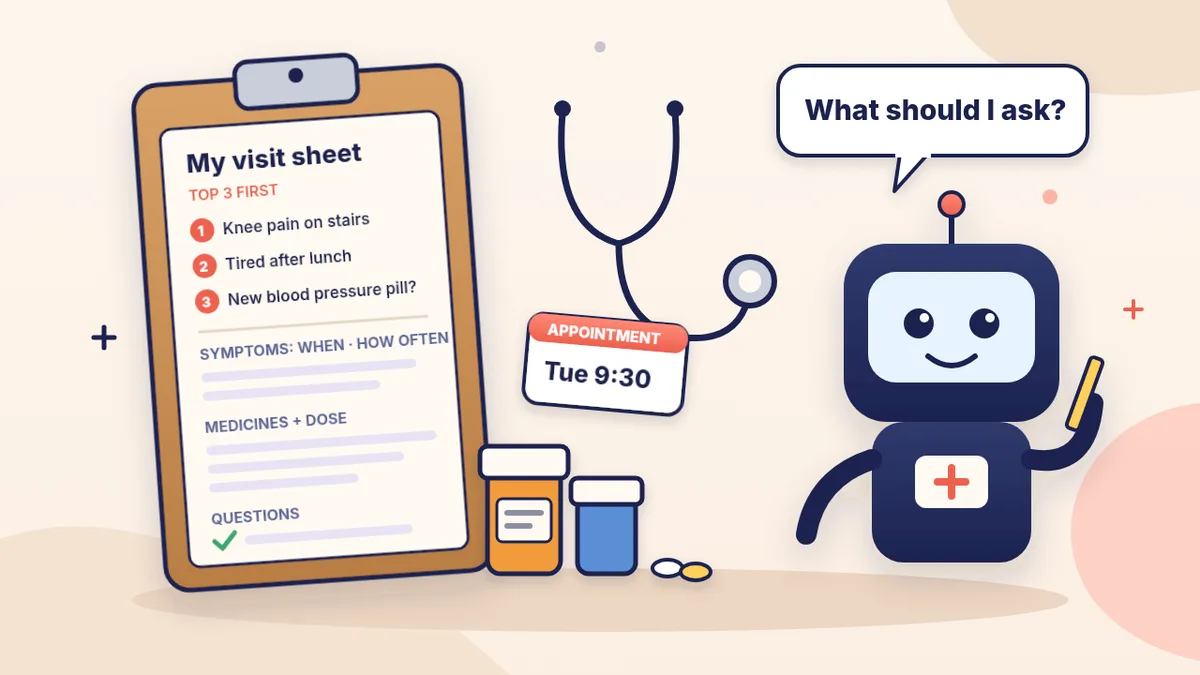
Ever remembered your most important question in the parking lot? Appointments are short, and it’s easy to get nervous, forget a medicine or lose track of when a symptom started. The National Institute on Aging (NIA) suggests making a list, putting the most important items first and bringing them up right away, not at the end. That’s exactly the kind of sorting ChatGPT is good at: you talk or type the messy version, it hands back a tidy page you can read from, or hand to the doctor.
What to bring (from NIA and AHRQ)
- Every medicine you take, in a bag, or a list with the dose: prescriptions, over-the-counter medicines like aspirin or antacids, vitamins, and herbal remedies or supplements. NIA adds: don’t forget eye drops and laxatives, and say how often you take each.
- Allergies and past reactions to medicines, and which medicines work best for you.
- Your insurance cards, the names and phone numbers of your other doctors, your pharmacy’s phone number, and your medical records if this doctor doesn’t have them.
- Your written questions, most important first. AHRQ’s card asks for your top three.
- Glasses and a working hearing aid if you use them. If you need an interpreter, NIA says to call the office ahead so they can plan for one.
- New doctor? NIA suggests asking the office to send the medical history form before your visit so you can fill it in at home.
🧰 Want the shortcut? Get the Starter Kit ($29)
Everything from our guides in one download: a 2-minute “pick your assistant” chart, step-by-step setup checklists for ChatGPT Projects, Claude Projects and agent-style assistants, 24 copy-paste bot recipes (personal and small business), a safety and permissions checklist, and troubleshooting fixes. Includes a ZIP of every recipe as a ready-to-paste text file.
Get the Starter Kit: $29 See what’s inside →
One-time payment, secure checkout by Stripe, instant download page right after checkout.
Step 1: Get it all out of your head (5 minutes)
Talk or type everything, in any order. Don’t tidy it up; that’s ChatGPT’s job. NIA says your doctor will ask about each symptom:
- When it started, and what time of day it happens.
- How long it lasts (seconds? days?) and how often.
- Whether it’s getting better or worse, and what makes it better or worse.
- Whether it keeps you from going out or doing your usual activities.
Also jot down anything that’s changed since your last visit. NIA mentions an emergency-room visit or a specialist, changes in appetite, weight, sleep or energy, and big life changes or stresses like a move or a loss.
3 copy-paste prompts to try today
1. 📋 My notes → a one-page visit sheet
I have a doctor's appointment on [DATE] about [REASON,
e.g. checkup / knee pain / follow-up]. Here are my messy
notes: [PASTE OR SAY EVERYTHING ON YOUR MIND].
Turn this into a one-page visit sheet I can read from:
1. My top 3 concerns, most important first.
2. For each symptom: when it started, time of day, how
   long it lasts, how often, better or worse, what helps
   or makes it worse, and how it affects my daily life.
   Leave [__] blanks for anything I didn't tell you.
3. What's changed since my last visit.
4. A blank medicine table: name, dose, how often, why.
5. My questions, in plain words.
Do NOT guess what's wrong with me or suggest treatments.
Just organize what I said. Keep it to one page.
2. ❓ The right questions for a test, medicine or treatment
My doctor may talk to me about [A TEST / A NEW MEDICINE /
A TREATMENT OR SURGERY] for [REASON]. Write me a short
list of questions to ask, in plain words, grouped like
this:
- For a test: what it's for, how it's done, how it will
  feel, how to get ready, and how and when I'll get the
  results.
- For a medicine: how to spell its name, side effects,
  whether it interacts with what I already take
  [LIST], and what to do if I miss a dose.
- For a treatment: why I need it, the alternatives, and
  the possible complications.
Max 10 questions. Don't answer them; they're for my
doctor.
These groups come straight from AHRQ’s patient tips and its “10 questions you should know.”
3. 🗒️ After the visit: explain my notes in plain words
Here are my after-visit notes (or what I remember the
doctor said): [PASTE OR UPLOAD A PHOTO, with my name,
date of birth and ID numbers covered].
Please:
1. Explain every medical word in plain English.
2. List exactly what I'm supposed to do next, with any
   dates: appointments, tests, medicine changes.
3. List anything that's unclear or missing so I can
   call the office and ask.
Don't change or add to my doctor's instructions. If
something sounds urgent, tell me to call my doctor.
AHRQ says: if you don’t understand your instructions after you get home, call your doctor, and talk with your doctor or pharmacist before you stop any prescribed medicine. Prompt #3 helps you spot what to ask; the office gives the answer.
🔒 Members-only
Members get the full pack: 12 more appointment prompts + a fill-in “visit card”
Copy-paste prompts for the rest of the visit cycle: a one-week symptom diary turned into a short summary, a medicine list from photos of your bottle labels, a new-doctor history sheet, telehealth visit prep, specialist referral questions, test prep checklist, surgery or procedure questions, a “what changed?” table for your portal lab results, a briefing for the family member coming with you, a short patient-portal message, a request for copies of your records, and a hearing, vision or interpreter request script. Plus a fill-in visit card you can reuse before every appointment.
Bot Club · $9/mo · cancel anytime. Your Member Library opens right after checkout.
Join Bot Club, unlock the full pack · $9/moStep 2: Make your medicine list (and check it)
NIA says medicines can interact and cause unpleasant and sometimes dangerous side effects, so your doctor needs to know about all of them. Two easy ways:
- Type or say them and ask ChatGPT to put them in a table: name, dose, how often, what it’s for.
- Snap photos of the labels. In the ChatGPT app tap + → Add photos & files. OpenAI says it may misread rotated text and can give incorrect descriptions, so hold the bottle straight and check every name and dose against the bottle. Free users can upload 3 files a day, so put several bottles in one photo.
Don’t ask ChatGPT whether your medicines are safe together and stop there. Bring the list and ask your doctor or pharmacist. AHRQ also says to tell your doctor if you’re pregnant or nursing, have had reactions to medicines, or take vitamins or herbal supplements when you get a new prescription.
Step 3: During the visit
- Lead with your top concern. Read from your sheet. That’s not rude; it’s what NIA recommends.
- Ask until you understand. AHRQ says to ask questions to make sure you understand, tell your doctor if you’re worried about being able to follow the instructions, ask about options if a treatment is recommended, and ask for written instructions.
- Bring a helper if you like. NIA says a family member or friend can remind you of your questions and take notes. Tell them ahead what you want from the visit, and it’s fine to ask for a few minutes alone with the doctor.
- Write down new words and medicine names. “How do you spell that?” is one of AHRQ’s 10 questions you should know.
Health in ChatGPT: what it is and who can use it
OpenAI launched Health in ChatGPT to U.S. users on July 23, 2026. Per OpenAI’s help page (checked Oct 24, 2026):
- Who: eligible, logged-in Free, Go, Plus and Pro users in the U.S., 18 and older, on the web and iPhone. It’s still rolling out, so you might not see it yet, and it can take a few weeks to reach everyone.
- Optional. You can ask health questions in ChatGPT without connecting anything. If you choose, you can connect Apple Health (iPhone only), supported U.S. provider portals, One Medical or Function Health. Open Health from the ChatGPT sidebar (it may be under More), then Get started.
- Appointment help is built in. OpenAI says Health can use connected data to explain recent labs, prepare questions for an appointment and summarize what has changed since your last appointment.
- Check it against the source. OpenAI says connected information may not always be complete or current (a medicine may stay listed after you stop it), so tell ChatGPT when something changes. ChatGPT can’t change your provider’s records.
- Privacy: OpenAI says connected medical records and Apple Health information, and conversations that use it, are not used to train its foundation models or target ads. If you disconnect an account, synced data is deleted from OpenAI’s systems within 30 days; chats you already had stay until you delete them. It is not a HIPAA tool for doctors’ offices.
Don’t have your records? HHS says HIPAA gives you the right to see and get copies of your health information. Your doctor normally has up to 30 days to send a copy (often sooner), a patient portal may let you download it any time, you can’t be denied for an unpaid bill, and if something is wrong or missing you can ask to have it fixed.
Privacy tips (especially for caregivers)
- Cover what isn’t needed. Before you paste or upload, cover your full name, date of birth, insurance member ID and any Social Security number. The question works without them.
- Want it off your history? Use Temporary chat. OpenAI says a temporary chat stays out of your history and isn’t used to improve models while it stays temporary, though a copy may be kept up to 30 days for safety. Health conversations can create memories when memory is on; Temporary chat or turning memory off avoids that.
- Helping a parent? OpenAI says the connected Health experience is meant for your own records. For someone else’s information, use a separate account or a separate project with project-only memory. Ask their permission first.
Troubleshooting
- It started guessing what I have. Say: “Don’t diagnose. Just organize what I told you and write questions for my doctor.”
- The sheet is too long. Say: “Cut this to one page. Top 3 concerns first.”
- An answer scared me. Stop and call your doctor’s office or nurse line. For an emergency, call 911.
- I don’t see Health in the sidebar. OpenAI says it’s U.S.-only, on web and iPhone, needs an up-to-date app, and is still rolling out. Everything in this guide works without it.
- It can’t read my photo. Retake it flat and straight in good light, or type the words in.
More help: AI for health questions has 5 more free prompts (decode medical words, a symptom diary, an insurance letter). Got a medical bill or an explanation of benefits? See understand confusing letters, bills and forms with ChatGPT. Setting this up for a parent? Start with ChatGPT for seniors and voice mode so they can just talk. Control what it remembers: ChatGPT memory for beginners.
Why Bot Club is only $9 a month
This guide gives you the first three appointment prompts free. Bot Club is for having the right prompt ready when you need it: the 12 extra appointment prompts (symptom diary summary, medicine list from bottle photos, new-doctor history sheet, telehealth prep, specialist and surgery questions, test prep, a lab “what changed?” table, a brief for the person coming with you, portal messages, a records request, hearing or interpreter requests) and the fill-in visit card above, plus every other members-only pack (bills and paperwork, emails, spreadsheets, listings, social posts and more) in one Member Library, and a new recipe each month. Cancel anytime from your Stripe receipt.
Want it done faster?
🧰 Starter Kit: $29
24 copy-paste bot recipes, setup checklists and a safety checklist, with a ZIP of every recipe as a text file.
Get the Starter Kit: $29🏆 Bot Club: $9/month
The 12 appointment prompts and visit card above, every other members-only pack, and a new recipe every month. Cancel anytime.
Join Bot Club: $9/mo🛠️ Done-for-you setup
$199 setup + $49/month. Want an AI assistant set up for your business and tested on your real everyday tasks? We build it with you, then keep it tuned every month.
Get set up: $199Not sure which assistant fits you? Take the 2-minute AI sidekick quiz.
This guide is general information about getting organized for appointments, not medical advice. Always follow your own doctor’s instructions.
On Medicare? Open Enrollment runs October 15 to December 7. The medicine and doctor list you make for appointments is the same list Medicare’s Plan Finder asks for; see Medicare Open Enrollment with ChatGPT.
Have a VA exam coming up? See how to use ChatGPT for VA letters and claims prep, including a prompt to describe how a condition affects your day in your own words.
Sources
- OpenAI Help Center: Health in ChatGPT (checked Oct 24, 2026)
- OpenAI: Launching Health in ChatGPT (July 23, 2026; checked Oct 24, 2026)
- OpenAI Help Center: ChatGPT Image Inputs FAQ (checked Oct 24, 2026)
- OpenAI Help Center: Uploading files and audio to ChatGPT (checked Oct 24, 2026)
- OpenAI Help Center: Temporary chat in ChatGPT (checked Oct 24, 2026)
- National Institute on Aging: How to prepare for a doctor’s appointment (checked Oct 24, 2026)
- National Institute on Aging: What do I need to tell the doctor? (checked Oct 24, 2026)
- AHRQ: Be more engaged in your healthcare (checked Oct 24, 2026)
- AHRQ: The 10 questions you should know (checked Oct 24, 2026)
- HHS: Your right to access your health information (checked Oct 24, 2026)
- 988 Suicide & Crisis Lifeline (checked Oct 24, 2026)
🎁 Free: 10 copy-paste ChatGPT prompts
Ten short copy-paste prompts from our free guides, each with a Copy button:
- Reply to a customer review (good or bad)
- A week of social posts in 5 minutes
- Match your resume to one job posting
- Practice the interview out loud
- “Use up my fridge” dinners
- A “tight week” budget dinner plan
- Fill in your “trip card”
- Plan a road trip like a human
- “Explain it like I’m 10”
- “Grade my answer, don’t write it”
Free with an email signup. We never sell your email.
Pick the easiest way to get going
Three simple options. Secure checkout by Stripe.
🧰 Starter Kit
- Pick-your-assistant chart
- Setup checklists
- 24 copy-paste bot recipes
- Safety checklist + troubleshooting
🏆 Bot Club
- New bot recipes every month
- Ready-made templates
- Monthly “get unstuck” Q&A in the members area
- Cancel anytime
🛠️ Done-for-you setup
- We set up your assistant with you
- Monthly tuning: fixes, updates
- New recipes as you go
📬 Get one fun bot trick every week
The Bot Whisperer newsletter: free, plain English, unsubscribe anytime.
Coming soon: sign-ups open shortly. Follow @teachbots to hear when they do.