🏆 Bot Club, $9/mo: new copy-paste bot recipes and ready-made templates every month, plus a monthly “get unstuck” Q&A post in the members area. Cancel anytime.
Join Bot ClubWhy this is worth 15 minutes
VA letters are long, the forms have numbers instead of names, and the ads promising a “higher rating, faster” never stop. A lot of veterans and spouses put off claims or decision letters for months because the paperwork feels like a second job. ChatGPT is good at exactly the part that stalls people: reading something dense and telling you, in plain words, what it says and what to do next. VA’s free helpers do the official part. This guide shows how to use both, and how to keep your information safe.
Step 1: Get your letters from VA.gov (the safe way)
Sign in to VA.gov with a Login.gov, ID.me or CLEAR account. VA says those are the accounts it uses for sign-in, and that VA contact center staff can’t reset those passwords for you (you reset them on the provider’s own site). Once you’re in:
- Download your letters. VA says you can download your VA Benefit Summary Letter (sometimes called an award letter) and other benefit letters online, and, if VA has decided a disability, pension, burial or DIC claim or a Board Appeal, your decision letter. VA asks you to review the address on file first, and notes you need Adobe Acrobat Reader (free) to open the letter.
- Check a claim or appeal. VA.gov’s claim status tool shows where your claim, decision review or appeal is once you’re signed in.
- Only type VA.gov yourself. VA says it will always send you to an official VA.gov website, and that if an ad tells you to go to another site, that could be a scam.
Step 2: Have ChatGPT explain it in plain English
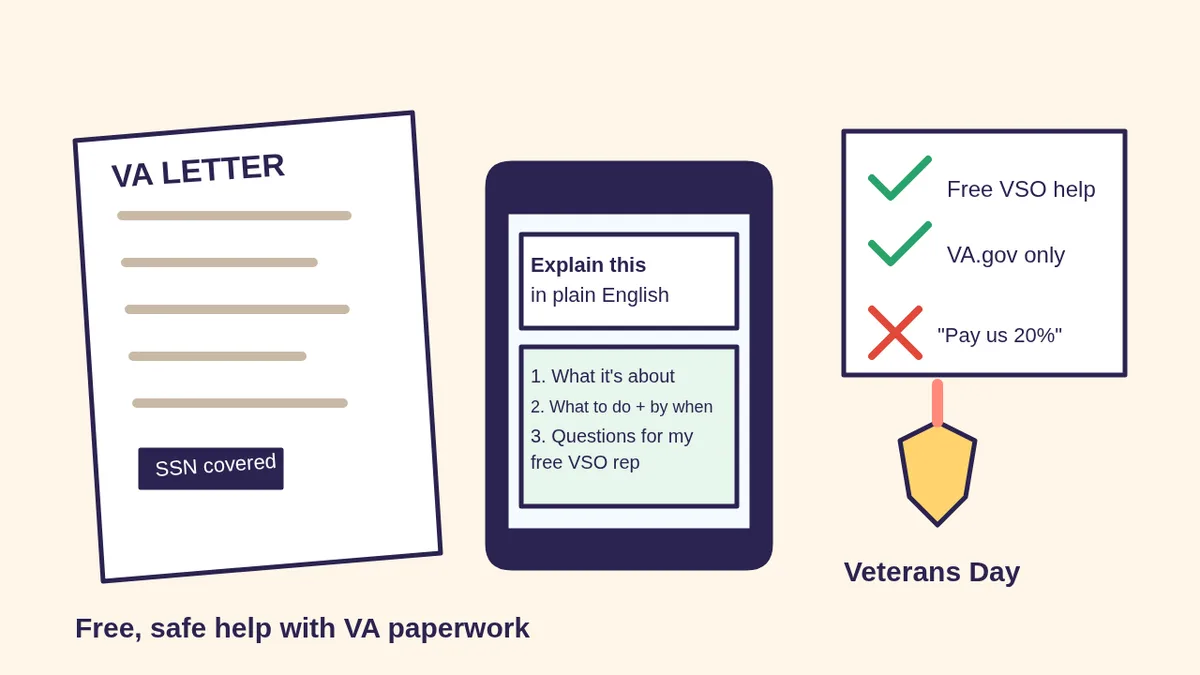
Paste the text (or upload a photo with private numbers covered) and use the prompts below. Fill in the [BRACKETS].
🧰 Want the shortcut? Get the Starter Kit ($29)
Everything from our guides in one download: a 2-minute “pick your assistant” chart, step-by-step setup checklists for ChatGPT Projects, Claude Projects and agent-style assistants, 24 copy-paste bot recipes (personal and small business), a safety and permissions checklist, and troubleshooting fixes. Includes a ZIP of every recipe as a ready-to-paste text file.
Get the Starter Kit: $29 See what’s inside →
One-time payment, secure checkout by Stripe, instant download page right after checkout.
6 copy-paste prompts to try today
1. 📄 “Explain my VA letter like I’m busy”
Here is a letter from VA. I've covered my
Social Security and file numbers.
[PASTE TEXT OR UPLOAD PHOTO]
In plain English:
1. What is this letter about, in 2 sentences?
2. Is VA asking me to do anything? By when?
3. Any dates, amounts or deadlines, in a list
4. 3 questions I should ask a VA-accredited
   VSO representative about it
Don't guess. If something isn't in the letter,
say "not in the letter."
2. 🗂️ “Turn my pile of papers into a checklist”
I'm a [VETERAN / SPOUSE / ADULT CHILD] getting
ready to talk to a free VA-accredited VSO
representative about [DISABILITY / PENSION /
HEALTH CARE / SURVIVOR] benefits.
Here's what I have (no ID numbers):
[LIST: DD214, letters, doctor notes, etc.]
Make me a simple checklist: what I have, what
I might still need to ask about, and how to
sort it into folders. Big simple words.
3. ✍️ “Help me describe how it affects my day”
Help me write down, in my own words, how
[CONDITION] affects my daily life, so I don't
forget anything when I talk to my VSO
representative or my doctor.
Ask me one question at a time about work,
sleep, chores, family and bad days. Then
turn my answers into a short, honest list.
Don't exaggerate, add symptoms, or predict
a rating.
4. 🚩 “Is this claim helper legit?”
Someone offered to help with my VA claim.
Here's their ad / text / email (I've removed
my info): [PASTE IT]
Compare it with VA's own warnings: VA never
charges to apply, accredited VSO help is
always free, never sign a blank form or a
contract for a percentage of your benefits.
List the red flags you see, then tell me how
to check them in VA's accredited
representative search on VA.gov.
5. 📞 “Get me ready for my VA call or appointment”
I'm calling VA / meeting my VSO
representative about [TOPIC].
Write me: a one-sentence opener, my 3 main
questions in order, what to have on paper
(not in this chat), and a line to write the
person's name, date and what they promised.
6. 🇺🇸 “Write a Veterans Day thank-you”
Write a short, warm Veterans Day note to
[NAME], who served in the [BRANCH].
Mention [ONE MEMORY OR DETAIL]. Keep it
under 80 words, no clichés, and give me one
version for a card and one for a text.
🔒 Members-only
Members get the full pack: 10 more veteran paperwork prompts + a fill-in Claim Tracker card
Copy-paste prompts for organizing a DD214 and service records, prepping for a VA exam (what to bring, not medical advice), understanding a decision letter’s reasons, comparing decision-review options to ask your representative about, a buddy-statement outline, helping a parent or spouse with their benefits, a survivor’s first-week checklist, a VA travel-pay reminder list, a debt-letter question list, and a “calls I need to make” plan. Plus a fill-in Claim Tracker card to print.
Bot Club · $9/mo · cancel anytime. Your Member Library opens right after checkout.
Join Bot Club, unlock the full pack · $9/moStep 3: Get free help from a VA-accredited representative
VA’s Office of General Counsel accredits three kinds of representatives: Veterans Service Organization (VSO) representatives, attorneys and claims agents. Here’s what VA says about each:
- VSO representatives can help you gather evidence, file a claim or request a decision review, and talk to VA for you. VA says their help on your VA benefit claim is always free.
- Accredited attorneys and claims agents can charge fees, mostly after VA has made a decision on your first claim (for example, a Supplemental Claim, Higher-Level Review or Board appeal). VA says to discuss the fee amount, how it’s paid, and what happens if you end the arrangement.
- Find one with VA’s search tool on VA.gov (search “find an accredited representative”). Contact them first to ask if they can help, then appoint them with VA’s online tool or VA Form 21-22 (for a VSO) or 21-22a (attorney or claims agent). VA says you and the representative both sign.
- Filing a disability claim? VA says you can file online, by mail, in person or with a representative’s help. If you start the claim online, VA says your effective date is set automatically when you begin the form; if you file another way, an intent to file may help you get back pay from an earlier date. Ask your representative which fits you.
Take your ChatGPT checklist and question list to that meeting. That’s where AI saves you the most time.
Step 4: Spot “claim coach” scams with VA’s own rules
VA and its VSAFE fraud-prevention program warn about people who call themselves coaches or consultants and charge for help VA gives for free. According to VA.gov and VSAFE.gov:
- VA never charges fees to apply for VA benefits or health care.
- It’s not legal for a company or person to prepare, present or prosecute VA benefit claims without VA recognition. Check accreditation before you share anything.
- Never sign a blank form someone says they’ll fill out later, and don’t sign a contract to pay an unaccredited company a percentage of your benefits.
- Be wary of anyone who pressures you (“act now or lose your chance”), claims a special relationship with VA, or promises a higher or 100% rating. VSAFE notes only VA can decide disability ratings.
- Don’t give your Social Security number or medical records to anyone offering claims help until you’ve confirmed they’re accredited.
Not sure a message is real? VA says to call 800-698-2411 (TTY: 711), its main line, open 24/7. To report a suspected claims scam, call the VSAFE hotline at 833-38V-SAFE (833-388-7233). Prompt 4 above helps you check an ad first, and our scam check guide covers texts and calls in general.
Privacy: what to share with ChatGPT (and what never to)
Fine to share: the words of a letter with numbers covered, the names of documents you have, and your own description of your day. Never share: your SSN, VA file number, bank or direct-deposit details, VA.gov, ID.me, Login.gov or CLEAR passwords, or sign-in codes. For medical details, share only what you need for the question and nothing that identifies you. See Is my AI assistant safe? for more.
Troubleshooting
- I can’t sign in to VA.gov. VA says its contact center can’t reset Login.gov, ID.me or CLEAR passwords; use the help pages on those providers’ sites. If you’ve tried and still can’t, call 800-698-2411 (TTY: 711).
- My letter won’t open. VA says you need the latest Adobe Acrobat Reader, which is free.
- ChatGPT said something that doesn’t match my letter. Trust the letter, not the chat. Ask it to quote the exact line it’s using, and bring the question to your representative.
- Can ChatGPT tell me what rating I’ll get? No. Only VA decides ratings. Use AI to organize and explain, not to predict.
- Helping a parent? See ChatGPT for seniors and AI for seniors, and keep their papers in their hands.
Why Bot Club is only $9 a month
This guide gives you six veteran paperwork prompts free. Bot Club adds the 10 extra prompts above (service records, VA exam prep, decision reasons, review questions, a buddy-statement outline, helping a parent or spouse, a survivor’s first-week list, travel pay, debt letters and a calls plan) and the printable Claim Tracker, plus every other members-only pack (bills and letters, scam checks, budgeting, phone calls and more) in one Member Library, and a new recipe each month. Cancel anytime from your Stripe receipt.
Want it done faster?
🧰 Starter Kit: $29
24 copy-paste bot recipes, setup checklists and a safety checklist, with a ZIP of every recipe as a text file.
Get the Starter Kit: $29🏆 Bot Club: $9/month
The 10 veteran paperwork prompts and Claim Tracker above, every other members-only pack, and a new recipe every month. Cancel anytime.
Join Bot Club: $9/mo🛠️ Done-for-you setup
$199 setup + $49/month. Run a veterans post, auxiliary, nonprofit or community group that answers the same questions every week? We set up an AI assistant for your FAQs, event notes and everyday messages, tested on your real tasks, then keep it tuned every month. (We don’t give VA claims advice.)
Get set up: $199Study Buddy Engineer is independent and is not affiliated with, endorsed by or a representative of the U.S. Department of Veterans Affairs, any Veterans Service Organization, or OpenAI. ChatGPT is a trademark of OpenAI. Nothing here is legal, medical or VA claims advice; for help with a claim, use a VA-accredited representative. In an emergency, call 911. In crisis, dial 988 then press 1.
Sources
- VA.gov: Get help from a VA accredited representative or VSO (checked Nov 4, 2026)
- VA.gov: VA accredited representative FAQs (checked Nov 4, 2026)
- VA.gov: Find a VA accredited representative or VSO (checked Nov 4, 2026)
- VA.gov: How to file a VA disability claim (checked Nov 4, 2026)
- VA.gov: Download VA benefit letters (checked Nov 4, 2026)
- VA.gov: Check your claim, decision review, or appeal status (checked Nov 4, 2026)
- VA.gov: Signing in to VA.gov (checked Nov 4, 2026)
- VA.gov: How to protect your identity and your VA benefits from scammers (checked Nov 4, 2026)
- VSAFE.gov: Predatory claims practices (checked Nov 4, 2026)
- VSAFE.gov: VA fraud prevention and hotline (checked Nov 4, 2026)
- VA.gov: Contact us (checked Nov 4, 2026)
- Veterans Crisis Line (checked Nov 4, 2026)
Keep going: related guides
- Understand bills, letters and forms with ChatGPT
- Is this a scam? Check it with ChatGPT
- Upload a photo or PDF to ChatGPT
- Prepare for a doctor appointment
- ChatGPT for seniors
🎁 Free: 10 copy-paste ChatGPT prompts
Ten short copy-paste prompts from our free guides, each with a Copy button:
- Reply to a customer review (good or bad)
- A week of social posts in 5 minutes
- Match your resume to one job posting
- Practice the interview out loud
- “Use up my fridge” dinners
- A “tight week” budget dinner plan
- Fill in your “trip card”
- Plan a road trip like a human
- “Explain it like I’m 10”
- “Grade my answer, don’t write it”
Free with an email signup. We never sell your email.
Pick the easiest way to get going
Three simple options. Secure checkout by Stripe.
🧰 Starter Kit
- Pick-your-assistant chart
- Setup checklists
- 24 copy-paste bot recipes
- Safety checklist + troubleshooting
🏆 Bot Club
- New bot recipes every month
- Ready-made templates
- Monthly “get unstuck” Q&A in the members area
- Cancel anytime
🛠️ Done-for-you setup
- We set up your assistant with you
- Monthly tuning: fixes, updates
- New recipes as you go
📬 Get one fun bot trick every week
The Bot Whisperer newsletter: free, plain English, unsubscribe anytime.
Coming soon: sign-ups open shortly. Follow @teachbots to hear when they do.