🏆 Bot Club, $9/mo: new copy-paste bot recipes and ready-made templates every month, plus a monthly “get unstuck” Q&A post in the members area. Cancel anytime.
Join Bot ClubWhy this is so much fun (and useful)
Remember pointing at a phrasebook and hoping? Now your phone can read a menu out loud in your language, help you text your new daughter-in-law in her first language, or let you chat with a neighbor who speaks Spanish. You don’t need to buy a gadget: the tools below are built into apps you probably already have. We’ll match the right tool to each moment, then give you prompts that make translations sound like you.
Which tool for which moment?
| You want to… | Use this |
|---|---|
| Translate a text, email or note and keep the tone | ChatGPT Translate on the web, or a regular ChatGPT chat |
| Have a spoken conversation with someone | ChatGPT Voice (ask it to interpret), Google Translate “Conversation” / live translate, or iPhone Live Translation with AirPods |
| Read a menu, sign or label | Google Translate camera (works offline if you download the language), or snap a photo into ChatGPT |
| Text or call someone in another language | iPhone Live Translation in Messages, Phone and FaceTime; Pixel Live Translate |
| Practice saying it yourself | Ask ChatGPT how to pronounce a word (OpenAI says you can tap to hear it and see a phonetic breakdown) |
Step 1: Translate text with ChatGPT Translate
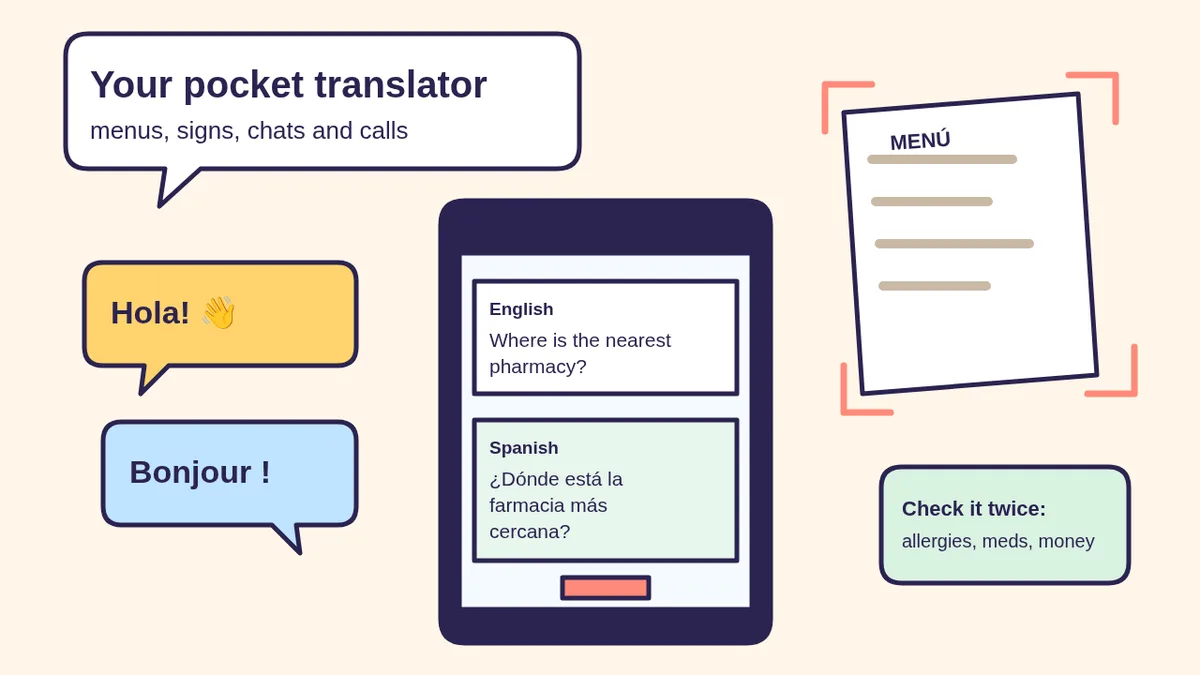
OpenAI’s translation page at chatgpt.com/translate says it translates text “while keeping the original meaning, tone, and intent intact.” When we tried it on Nov 4, 2026 without logging in, it detected English automatically and translated “Where is the nearest pharmacy?” into Spanish as we typed (“¿Dónde está la farmacia más cercana?”).
- Open chatgpt.com/translate in your phone or computer browser.
- Leave the left box on Detect language (or pick one) and choose the language you want on the right. The arrows button swaps them.
- Type or paste your text. The page also shows a microphone button, a copy button and a speaker button to hear the translation.
- Want it to sound different? Tap Make it sound more fluent, Make it professional or Explain it like I’m five (simple language).
Privacy: the page itself says chats may be reviewed and used to improve OpenAI’s models, so keep personal details out. You can also just ask in any ChatGPT chat: OpenAI’s help center lists translating between languages as one of ChatGPT’s core abilities.
Step 2: Turn ChatGPT Voice into a back-and-forth interpreter
OpenAI’s release notes say you can “just ask Voice to translate between languages, and it will continue translating throughout your conversation until you tell it to stop or switch,” with the example of a restaurant in Brazil: your English goes into Portuguese and the waiter’s Portuguese comes back in English. OpenAI later rolled the upgrade out to Free users too.
- Open the ChatGPT app (or chatgpt.com) and tap the Voice icon in the message bar. Allow the microphone if asked.
- Say the rules first, for example: “Translate everything I say into Portuguese, and everything you hear in Portuguese into English. Only translate, don’t answer.” (Prompt 1 below is a fuller version.)
- Take turns. Hold the phone between you, speak in short sentences, and pause so it can finish.
- Say “stop translating” when you’re done.
🧰 Want the shortcut? Get the Starter Kit ($29)
Everything from our guides in one download: a 2-minute “pick your assistant” chart, step-by-step setup checklists for ChatGPT Projects, Claude Projects and agent-style assistants, 24 copy-paste bot recipes (personal and small business), a safety and permissions checklist, and troubleshooting fixes. Includes a ZIP of every recipe as a ready-to-paste text file.
Get the Starter Kit: $29 See what’s inside →
One-time payment, secure checkout by Stripe, instant download page right after checkout.
6 copy-paste prompts to try today
Paste these into a ChatGPT chat (or read prompt 1 out loud in Voice) and fill in the [BRACKETS].
1. 🗣️ “Be my interpreter”
Be my interpreter between [MY LANGUAGE] and
[THEIR LANGUAGE]. Rules:
- When you hear [MY LANGUAGE], say it in
  [THEIR LANGUAGE]. When you hear [THEIR
  LANGUAGE], say it in [MY LANGUAGE].
- Only translate. Don't answer questions or
  add your own comments.
- Keep it polite and natural, not word for word.
- If something is unclear, say "Can you
  repeat that?" in both languages.
Keep going until I say "stop translating."
2. 🍽️ “Read this menu for me”
Here's a photo of a menu in [LANGUAGE].
1. List each dish in plain [MY LANGUAGE] with
   a one-line description.
2. Flag anything that might contain [MY
   ALLERGY OR DIET, E.G. PEANUTS, PORK, GLUTEN].
3. Write one polite sentence in [LANGUAGE] I
   can show the server to double-check.
If a word is blurry or you're not sure, say so.
3. 🧳 “My 15 travel survival phrases”
I'm traveling to [PLACE] for [REASON]. Give me
15 short phrases I'll actually need (hello,
thank you, where is the bathroom, how much,
I'm allergic to [X], I need a doctor, please
write it down...). For each: the phrase in
[LANGUAGE], how to say it (simple sound-it-out
spelling), and what it means. Big, simple list.
4. 💬 “Help me text family in their language”
I want to text my [RELATIONSHIP] who speaks
[LANGUAGE]. Here's what I want to say in [MY
LANGUAGE]: [MESSAGE]. Translate it warmly and
naturally, the way family talks, not formal.
Then translate your version back into [MY
LANGUAGE] word for word so I can check it says
what I mean. Point out anything that could
sound rude or odd.
5. 🔤 “Teach me to say it”
How do I pronounce "[WORD OR PHRASE]" in
[LANGUAGE]? Break it into syllables, show
which part to stress, and give me one common
mistake English speakers make with it. Then
quiz me with 3 similar words.
6. 🏫 “What does this school note say?”
Here's a note (photo or pasted text) from
[SCHOOL / LANDLORD / CLINIC] in [LANGUAGE].
1. Translate it into plain [MY LANGUAGE].
2. List any dates, times, money or things I
   need to bring or sign.
3. Write a short, polite reply in [LANGUAGE]
   saying [MY ANSWER], plus the back-translation.
I'll confirm anything important with them directly.
🔒 Members-only
Members get the full pack: 10 more translator prompts + a fill-in Travel Phrase Card
Copy-paste prompts for a pharmacy visit (what to ask, not medical advice), a taxi or ride with your address written out, a hotel problem you need fixed, an allergy card for restaurants, a polite “sorry, I only speak a little” opener, a family video-call icebreaker, a thank-you note to a host family, checking a sign or form before you sign anything, a kid-friendly language game for the car, and a 7-day “10 words a day” practice plan. Plus a fill-in Travel Phrase Card to print and keep in your wallet.
Bot Club · $9/mo · cancel anytime. Your Member Library opens right after checkout.
Join Bot Club, unlock the full pack · $9/moStep 3: Point your camera at menus and signs (Google Translate)
Google Translate Help says you can use your phone’s camera in the Translate app to translate signs, menus or handwritten notes.
- Open the Google Translate app (Android, iPhone or iPad).
- Choose the languages: From (or Detect language) and To.
- Tap Camera and point it at the text. On iPhone, Google says the translation appears instantly and you tap the shutter to pause; on Android, tap the shutter button. To use a photo you already took, tap All Images (Android) or Gallery (iPhone).
- Tap words to select part of the text, then choose Listen to hear it, Copy text, or Search.
Prefer ChatGPT? Snap a photo of the menu and use prompt 2. OpenAI says image inputs work on Free and paid plans on web, iOS and Android. More on photos: upload a photo or PDF to ChatGPT safely.
Step 4: Talk face to face with Google Translate
In the Google Translate app, tap live translate at the bottom and pick a mode. Google lists four:
- Conversation: translations play out loud and you take turns speaking.
- Listening: with headphones (or the phone to your ear) you hear real-time translations, handy for a tour guide or a speech.
- Text only: read the translations, no audio.
- Custom settings: choose text only, speaker or headphones.
Google says the microphone detects when one language stops and the other starts. Tap Face to face to split the screen so each person reads their own language. On Android, Google says live translate keeps going if you switch apps or the screen locks, and offline live translation downloads are currently only for Pixel 9, 10 and 11.
Step 5: iPhone Live Translation in Messages, Phone, FaceTime and AirPods
Apple’s Live Translation is an Apple Intelligence feature. Apple says it runs entirely on your device, may not be available in all regions or languages, and that outputs may vary, so check important information.
- Messages: open the conversation, tap the person’s name at the top, turn on Automatically Translate and choose the language. Apple says the other person receives your translation plus your original message, and messages you receive are translated too.
- Phone calls: during a call tap More, then Live Translation, choose the language and tap Start Translation. Apple says both people are told the call is being translated, the other person hears a spoken translation, and you can read a transcript.
- FaceTime: during the call tap More > Live Translation, choose the language, then Start Translation for translated live captions.
- AirPods: Apple lists AirPods 4 (ANC), AirPods 5, AirPods Pro 2 or 3, or AirPods Max 2 with an iPhone 15 Pro or later on iOS 26 or later, Apple Intelligence on and the Translate app. First download both languages in Settings > [your AirPods] > Live Translation (Beta). Then open Translate > Live, pick “their” language and yours, and tap Start Translation (or press and hold both AirPods stems, or ask Siri). If the other person has no AirPods, show them the transcript on your phone or tap Play to speak your reply in their language.
Pixel owners: Google’s Pixel help says Live Translate (Settings > System > Live Translate) translates messages and on-screen text on Pixel 6 and later, phone calls on Pixel 10 and later (tap Call Assist > Live translate during a call), and media on Pixel 11, in certain countries and languages.
Privacy: what to translate (and what not to)
Fine: menus, signs, directions, small talk, school notes with names covered. Think twice: anything with your passport, bank or card number, your address plus your travel dates, or someone else’s private health details. ChatGPT Translate says chats may be reviewed to improve models; ChatGPT Voice keeps audio clips with the transcript for 30 days; Apple says Live Translation runs on device. More in Is my AI assistant safe?
Troubleshooting
- ChatGPT Voice answers my friend instead of translating. Restate the rule: “Only translate, don’t reply.” OpenAI says Live isn’t yet optimized for multiple speakers, so take clear turns and speak one at a time.
- It keeps guessing the wrong language. In ChatGPT, set Settings > Voice > Language. In Google Translate, pick the language instead of Detect language.
- No signal at the restaurant. Download the language in Google Translate ahead of time; Google says downloaded languages work offline.
- I don’t see Live Translation on my iPhone. It needs Apple Intelligence turned on, a supported iPhone and region, and (for AirPods) iOS 26 or later with up-to-date AirPods firmware.
- The translation sounds stiff or rude. Use prompt 4: ask for a warmer version and a back-translation, or tap “Make it sound more fluent” in ChatGPT Translate.
Why Bot Club is only $9 a month
This guide gives you six translator prompts free. Bot Club is for the rest of the trip: the 10 extra prompts above (pharmacy visit, taxi card, hotel problem, allergy card, “I only speak a little,” family video-call icebreaker, host thank-you, check-before-you-sign, a car language game and a 7-day practice plan) and the printable Travel Phrase Card, plus every other members-only pack (trip planning, phone calls, scam checks, holiday planning and more) in one Member Library, and a new recipe each month. Cancel anytime from your Stripe receipt.
Want it done faster?
🧰 Starter Kit: $29
24 copy-paste bot recipes, setup checklists and a safety checklist, with a ZIP of every recipe as a text file.
Get the Starter Kit: $29🏆 Bot Club: $9/month
The 10 translator prompts and Travel Phrase Card above, every other members-only pack, and a new recipe every month. Cancel anytime.
Join Bot Club: $9/mo🛠️ Done-for-you setup
$199 setup + $49/month. Run a shop, clinic front desk, church or community group that serves people in more than one language? We set up an AI assistant for your FAQs and everyday messages, tested on your real tasks, then keep it tuned every month.
Get set up: $199Study Buddy Engineer is independent and is not affiliated with OpenAI, Google or Apple. ChatGPT is a trademark of OpenAI; Google, Google Translate, Pixel and Android are trademarks of Google LLC; iPhone, AirPods and FaceTime are trademarks of Apple Inc. Features vary by device, app version, country and language, and can change. AI translations can be wrong; for medical, legal or official matters, use a qualified interpreter or translator.
Sources
- ChatGPT Translate (official page) (checked and tested Nov 4, 2026)
- OpenAI Help: ChatGPT Voice (checked Nov 4, 2026)
- OpenAI Help: ChatGPT release notes (Voice translation and pronunciation entries, checked Nov 4, 2026)
- OpenAI Help: ChatGPT capabilities overview (checked Nov 4, 2026)
- OpenAI Help: ChatGPT Image Inputs FAQ (checked Nov 4, 2026)
- Google Translate Help: Translate images (checked Nov 4, 2026)
- Google Translate Help: Hear live speech to speech translations with live translate (checked Nov 4, 2026)
- Google Translate Help: Download languages to use offline (checked Nov 4, 2026)
- Google Translate Help: Tips & Tricks (checked Nov 4, 2026)
- Pixel Phone Help: Translate speech & text on your Pixel (checked Nov 4, 2026)
- Apple Support: Use Live Translation on iPhone (checked Nov 4, 2026)
- Apple Support: Use Live Translation with your AirPods (checked Nov 4, 2026)
Keep going: related guides
- Plan a relaxed trip with ChatGPT
- ChatGPT voice mode for beginners
- Upload a photo or PDF safely
- Let AI help with phone calls
- ChatGPT for seniors
🎁 Free: 10 copy-paste ChatGPT prompts
Ten short copy-paste prompts from our free guides, each with a Copy button:
- Reply to a customer review (good or bad)
- A week of social posts in 5 minutes
- Match your resume to one job posting
- Practice the interview out loud
- “Use up my fridge” dinners
- A “tight week” budget dinner plan
- Fill in your “trip card”
- Plan a road trip like a human
- “Explain it like I’m 10”
- “Grade my answer, don’t write it”
Free with an email signup. We never sell your email.
Pick the easiest way to get going
Three simple options. Secure checkout by Stripe.
🧰 Starter Kit
- Pick-your-assistant chart
- Setup checklists
- 24 copy-paste bot recipes
- Safety checklist + troubleshooting
🏆 Bot Club
- New bot recipes every month
- Ready-made templates
- Monthly “get unstuck” Q&A in the members area
- Cancel anytime
🛠️ Done-for-you setup
- We set up your assistant with you
- Monthly tuning: fixes, updates
- New recipes as you go
📬 Get one fun bot trick every week
The Bot Whisperer newsletter: free, plain English, unsubscribe anytime.
Coming soon: sign-ups open shortly. Follow @teachbots to hear when they do.